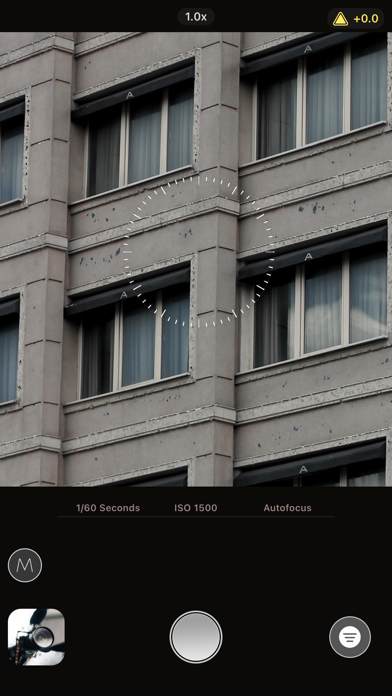
01 · Tactile precision
Manual, without the menu maze
Haptic sliders put shutter speed, ISO, focus and exposure gain under your thumb, with semi-manual control when you want ProCam to handle selected settings.
The camera, unhidden
Built for photographers who want deliberate choices without giving up a fast automatic mode.
01 · Tactile precision
Haptic sliders put shutter speed, ISO, focus and exposure gain under your thumb, with semi-manual control when you want ProCam to handle selected settings.
Use manual focus with Focus Loupe and Focus Peaking to see exactly where sharpness lands.
Watch the live histogram while you compose, then balance the frame with an optional grid overlay.
Switch to smart automatic mode for optimized settings when the moment moves faster than the dials.
Edit every aspect of your photo with the built-in suite and color schemes for portraits, landscapes and night shots.
Shoot and edit completely offline. ProCam includes no trackers, collects no data or photos, and transmits nothing.
The viewfinder is the workspace
ProCam’s interface is inspired by professional camera controls: the live image stays central while the settings that shape it stay close.
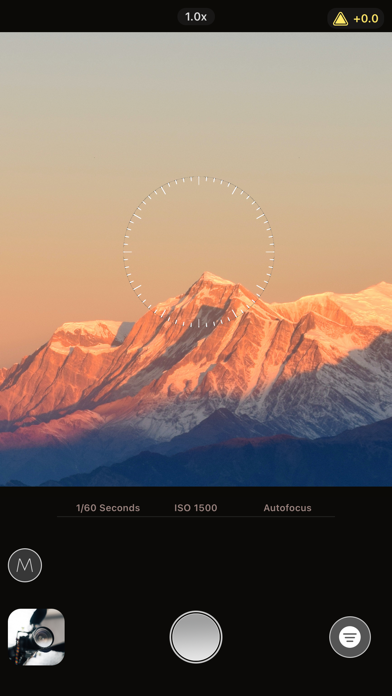
From instinct to image
Install ProCam on an iPhone running iOS 18 or later and frame the moment in its streamlined viewfinder.
Stay in smart automatic mode or swipe the haptic sliders to set focus, shutter speed, ISO and exposure.
Capture the shot, then refine it with the full editor and a color scheme suited to the scene.
ProCam provides manual control over shutter speed, ISO, focus and exposure gain. You can also keep individual settings automatic for a semi-manual setup.
Yes. Manual focus is supported by a Focus Loupe and Focus Peaking, so you can inspect and confirm the sharp area before capturing the photo.
No. ProCam works completely offline, includes no trackers, does not collect data or photos, and never transmits any information.
ProCam is free to download. Unlocking subscription features requires ProCam Monthly at $1.99 per month or ProCam Yearly at $17.99 per year. Subscription features include automation timers, white balance, in-camera aspect ratio adjustment, and selected filters and content.
ProCam requires iOS 18.0 or later and is designed for iPhone.
Yes. A full image editing suite is built in, alongside color schemes suited to landscapes, portraits and night shots.
Practical resources
Short, focused guides for the questions people ask before and after they use the app.